
Make Kajabi Work Exactly
the Way You Want
Kajabi only offers a handful of templates for its products and pages which makes it harder to get a unique look. Add custom code to open limitless possibilities for customization. Go beyond CSS with in-depth Javascipt, CSS and HTML
Transform your course, community, and checkout pages with custom HTML, CSS, JavaScript, and Liquid code.
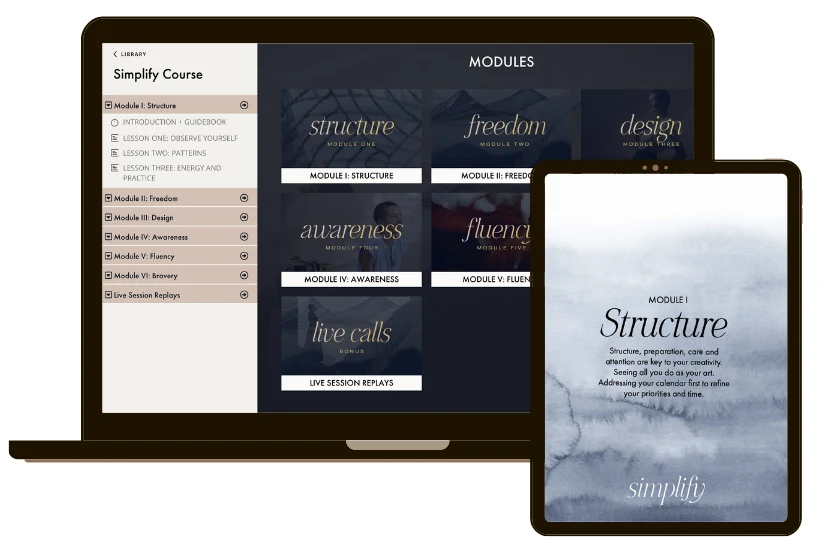
Benefits of Custom Coding in Kajabi
Enhanced User Engagement
Add interactive features like lesson tabs or progress bars to keep students engaged in courses and communities
Sitewide Brand Consistency
Customize fonts, colors, and layouts to align your course, community, and checkout pages with your brand identity
Increased Leads & Conversions
Use timed popups or locked lesson previews to capture more leads and drive sales to your courses or coaching
Personalized User Experiences
Create tailored dashboards or content based on user tags, enhancing membership and community value
Custom Code:
Unleash Your Platform
Unlocking Kajabi's full potential by implementing custom code for superior SEO, dynamic UX, deep analytics integration, and limitless brand control.
SEO & Analytics
Adding third-party tracking scripts, Meta pixels, and structured data (Schema Markup) to enhance search visibility and gather deeper user behavior data.
UX / UI
Improving the visitor's journey, such as adding custom mouse effects, dynamic content displays, or ensuring specific elements remain visible,
Branding/Design
Override Kajabi's default theme styles, allowing for unique fonts, color changes, layout adjustments and precise control beyond the visual editor.
Integrations
Embedding external services like advanced scheduling calendars (Calendly), live chat widgets, custom pop-ups, or specialized form builders that aren't natively supported within the Kajabi framework.
Liquid Logic
Using the Liquid templating language (available with theme modifications) to show or hide elements based on a user's logged-in status, product access, or other back-end logic.
Automations
Implementing JavaScript to manipulate form behavior, auto-populate fields from the URL, or integrate with marketing automation platforms for more complex lead capture workflows.
Template Limitations Solved or Enhanced
No more cookie-cutter templates. We can custom-design your Kajabi Sales Engine to reflect your brand, build trust with buyers, and make it easy for them to say yes.
Limited Navigation Options
Kajabi templates often lack dynamic navigation for courses. Custom code adds sticky menus or tabbed interfaces for better usability. .
Restricted Checkout Customization
Checkout pages have limited Code Editor access, but CSS can enhance banners and styling for brand consistency.
Basic Community Features
Community pages lack advanced interactivity. Custom code adds searchable resource lists or welcome videos.
Content Access Control
Templates restrict content visibility. Liquid code enables previews or locked content to drive enrollments.
FAQs
Can I Customize Code if I’m Not Subscribed to the Kajabi Pro Plan?
Yes. All of Kajabi’s Subscription Plans offer some kind of custom codding.
The Kickstarter and Basic offer custom code blocks to various elements of a page like logo carousels, stacked columns, blurred backgrounds etc.
The Growth and Pro plans allow you to add extensive custom code in multiple areas through the “code editor” – including the header, body (via Code Blocks), and site-wide settings. The Pro plan is required to modify Kajabi template and theme codes.
You can insert:
HTML/CSS/JS via the Custom Code section under “Site Settings”
Custom scripts or styling inside individual pages, posts, or landing pages using the Code Block
Global scripts (i.e., for analytics or widgets)
What Coding Languages Does Kajabi Support?
Kajabi supports HTML, CSS, and Javascript for adding custom code to web pages.
For modifying template codes, Kajabi requires the use of Liquid template language.
Will Kajabi support help me troubleshoot custom code?
No. Kajabi Support does not assist with troubleshooting custom HTML, CSS, or JavaScript. They only support native functionality if something breaks due to you adding code.0
That’s why it’s best to hire Kajabi-Experts to handle this type of customization for you.
What kind of custom code can Kajabi-Experts add to Kajabi?
A skilled Kajabi developer can:
Style pages beyond Kajabi’s native controls with custom CSS
Add JavaScript for interactive features (e.g., sliders, popups, calculators)
Customize checkout flow behavior (Pro plan only for full code access)
Embed and style third-party tools (chat, CRMs, booking tools)
Edit theme files using Liquid and HTML to change layouts or functionality
Will custom code affect my site’s performance or updates?
Yes — poorly written code can:
Slow down your site
Conflict with Kajabi updates
Break layouts or functionality
That’s why it’s important to hire Kajabi-Experts. We understand Kajabi’s ecosystem and follow best practices (like creating a duplicate theme before editing).
What should I give Kajabi-Experts before they start?
To make the project go smoothly, prepare:
Clear goals or examples of what you want
A list of pages or sections involved
Your Kajabi plan level (Growth or Pro)
Temporary admin access to your site or theme editor
Any third-party tool access (e.g., scripts, APIs, branding guidelines)
How can I maintain custom code after the project ends?
Custom code isn’t always “set and forget.” Kajabi-Experts Always:
Leaves clear comments inside the code
Provides a video walkthrough or documentation
Keeps a backup of the original theme
Ensures code is modular (so you or future devs can update it easily)
Kajabi-Experts offers retainer support and one-off maintenance options should you need help in the future.
Ready to customize your Kajabi website?
I'll access the Code Editor and get to work.
If you’re ready to stop patching things together and start selling through a real system, let’s talk.