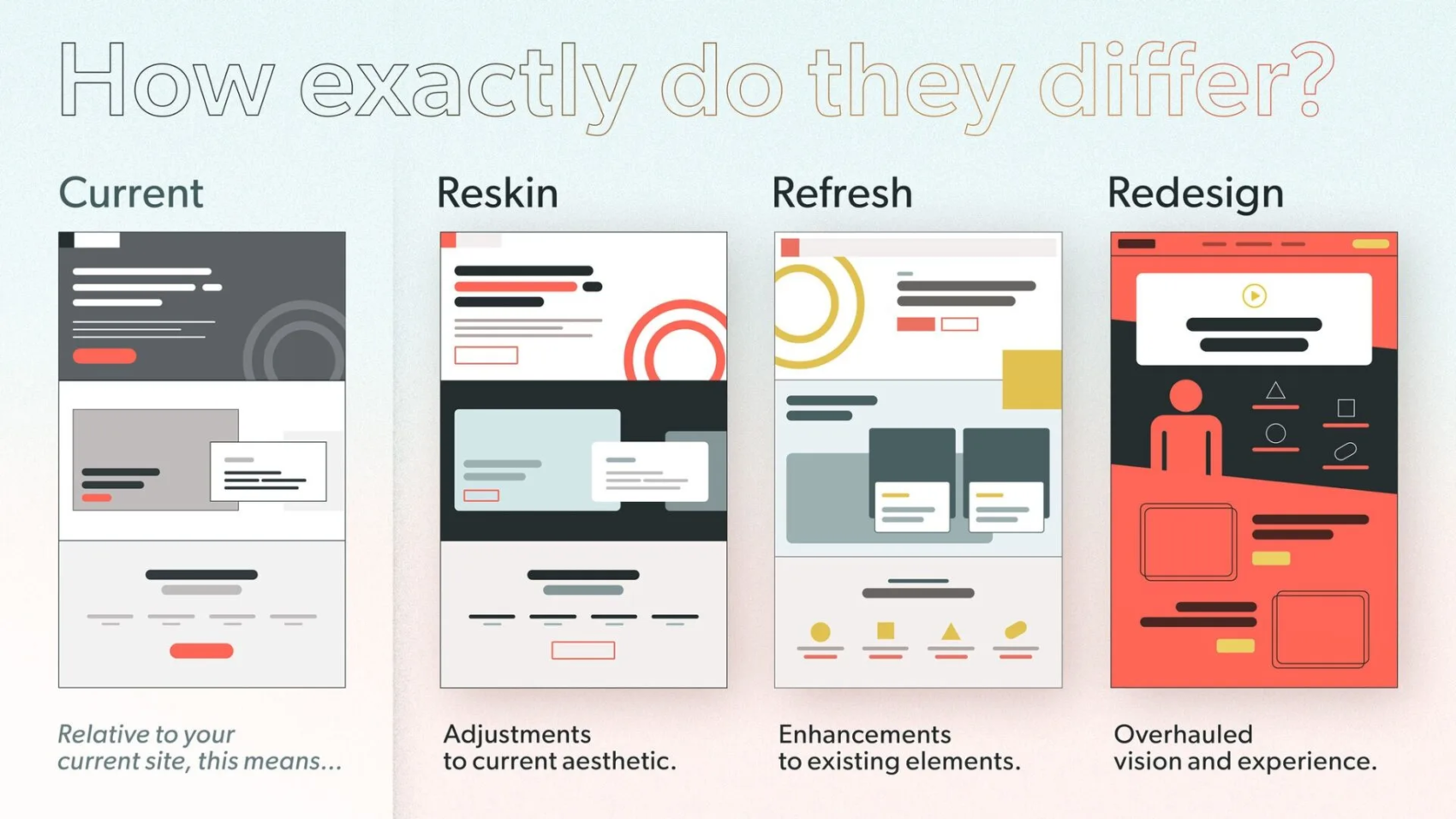
Have you ever looked at your website and thought, “This needs a change, but what kind?” You’re not alone. Many people get confused about terms like reskin, refresh, and redesign. They all sound similar, but they differ in big ways. Based on that graphic you shared, which shows a current site next to these three options, let’s dive in. The graphic asks, “How exactly do they differ?” and breaks it down simply. It compares the current version to reskin (adjustments to aesthetic), refresh (enhancements to elements), and redesign (overhauled vision and experience).
Why does this matter? If you’re running a blog, a shop, or any online space, picking the right update can save time and money. It can also boost how users feel about your site. What if you choose the wrong one? You might end up with a site that looks new but still feels old and clunky. Let’s explore each one step by step. By the end, you’ll have ideas on which might fit your needs. Ready to think about your own site? Let’s start with the basics.
Understanding Your Current Website
Before we jump into changes, let’s talk about the “current” state. The graphic shows it as the starting point: a basic layout with gray tones, simple boxes, and a red button. It’s like your site’s snapshot right now.
Why assess this first? Because any update builds on what you have. Ask yourself:
Does your site load fast?
Is it easy to navigate?
Does it match your brand’s colors and feel?
If you’re happy with the core but want tweaks, you might not need a full overhaul. Suggesting a course of action: Grab a notebook and list what works and what doesn’t. This simple step can guide you. For example, if the layout is solid but colors feel dated, a small change might do the trick.
Now, let’s move to the first option: reskin.
What Is a Reskin?
A reskin is like giving your site a fresh coat of paint. The graphic calls it “adjustments to current aesthetic.” It keeps the same structure but tweaks colors, fonts, or images to make it look modern.
Why choose a reskin? It’s quick and cheap. Perfect if your site works well but looks old. Think of it as updating your wardrobe without buying new clothes—just accessorizing better.
Here are the key features of a reskin, in bullet points for quick reading:
Changes visuals only: Swap colors, add new icons, or update fonts.
Keeps layout the same: No moving menus or adding pages.
Fast turnaround: Often done in days or weeks.
Low cost: No need for big coding changes.
Minimal disruption: Users won’t feel lost.
For instance, if your site has a dark gray theme like in the graphic, a reskin might switch to brighter reds and circles for a fun vibe. Have you noticed sites that suddenly look sharper without changing much? That’s often a reskin.
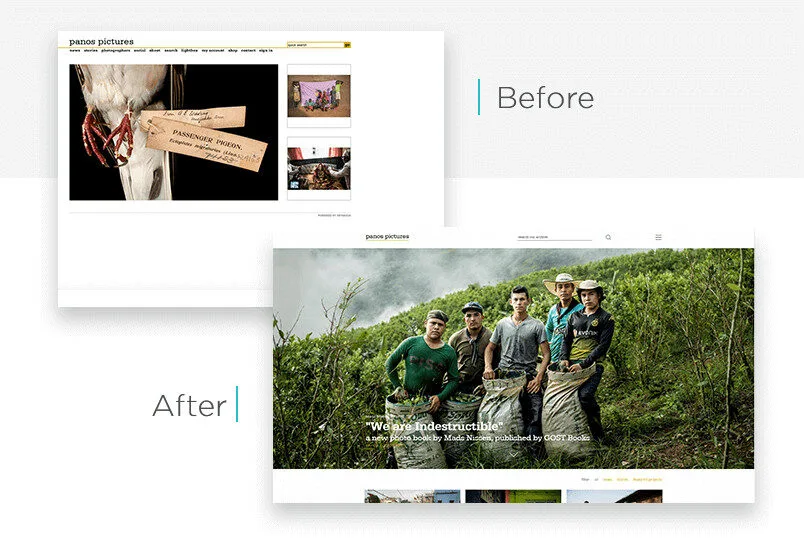
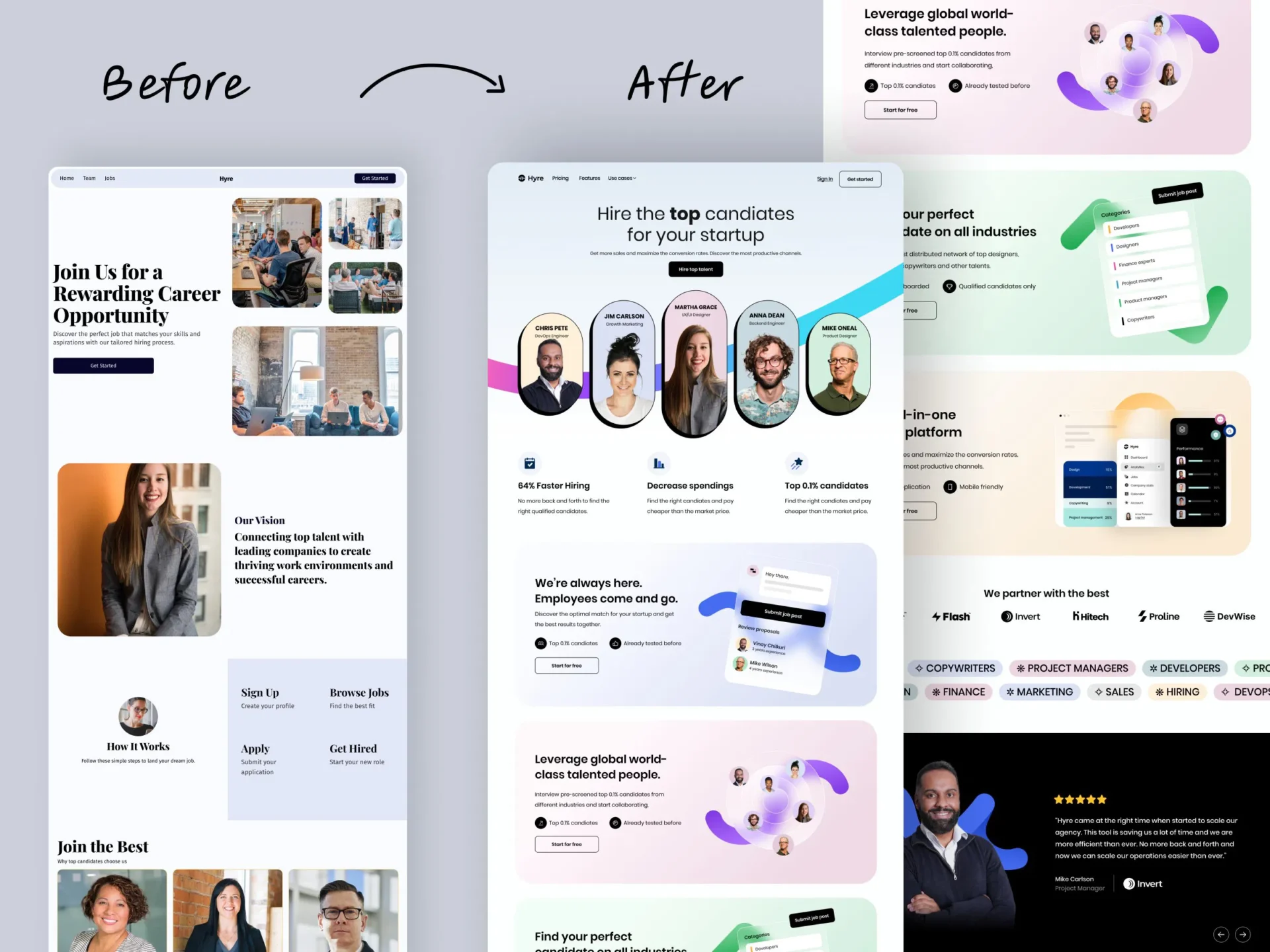
To see it in action, check this example of a website before and after a reskin-like update:
Wondering if this is for you? If your traffic is good but bounce rates are high due to outdated looks, try a reskin. Suggestion: Use free tools like Canva to mock up color changes and see how it feels.
What Is a Refresh?
Moving up a level, a refresh is about “enhancements to existing elements,” as the graphic says. It’s more than just looks—it’s improving what’s there without starting over.
What’s the appeal? A refresh fixes pain points while keeping the familiar feel. It’s like reorganizing your room: same furniture, but better arranged.
Key aspects in bullets:
Builds on current setup: Add features like better search bars or mobile tweaks.
Improves user experience: Make buttons bigger or add animations.
Moderate effort: Takes weeks to months.
Balances cost and impact: More than reskin, less than redesign.
Keeps core identity: Your brand stays recognizable.
In the graphic, the refresh version adds yellow circles and cleaner lines to the gray base. It’s enhanced but still similar. Ever visited a site that added a chat feature or better images? That’s a refresh.
Here’s a visual example of a website before and after a refresh:
Are you dealing with user complaints about slow features? A refresh could help. Action idea: Survey your visitors with a quick poll—what one thing would they improve? Use that to plan your enhancements.
What Is a Redesign?
Now, for the big one: redesign. The graphic labels it as an “overhauled vision and experience.” This is a total makeover, rethinking everything from layout to purpose.
Why go this route? If your site no longer fits your goals, like if your business has grown, a redesign aligns it anew. It’s like building a new house instead of patching the old one.
Bullets for the main points:
Complete overhaul: New structure, navigation, and features.
Focuses on vision: Matches current trends and user needs.
High effort: Months to plan and build.
Bigger budget: Involves designers and developers.
Fresh start: Can boost engagement a lot.
The graphic shows a bold red background with new icons and a video play button—totally different from the current gray. Sites like major brands do this every few years to stay relevant.
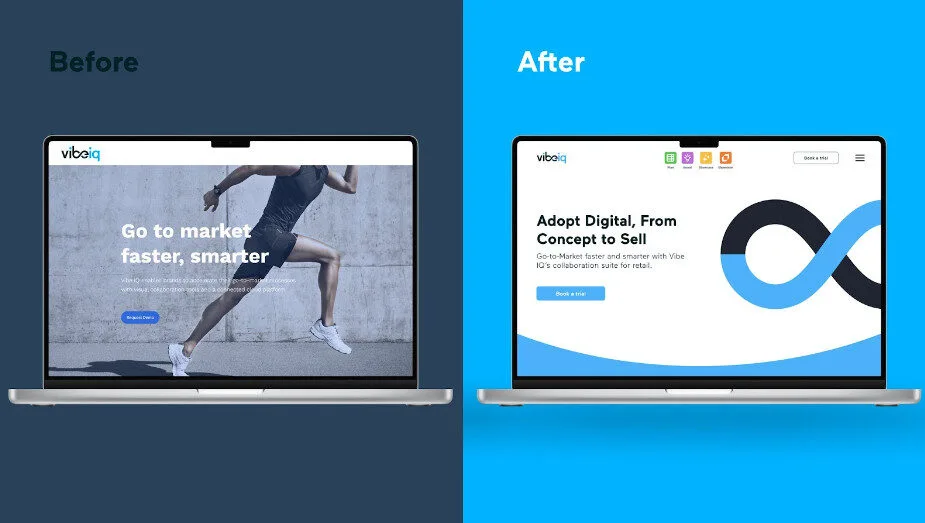
Take a look at this before-and-after redesign example:
Is your site from five years ago and not mobile-friendly? Time for a redesign.
Suggestion: Hire a pro like us Kajabi-Experts. Start small by sketching your dream layout.
How Do They Compare Side by Side?
To make it clear, let’s compare them. The graphic puts them next to each other for a reason—it shows the progression from minor to major changes.
Use this table for a quick overview:
Aspect
Reskin
Refresh
Redesign
Scope
Visual tweaks
Element improvements
Full overhaul
Time
Short
Medium
Long
Cost
Low
Moderate
High
Risk
Low
Medium
High
Impact
Subtle
Noticeable
Transformative
What stands out to you here? If time is tight, reskin wins. But for big growth, redesign might be worth it.
Pros and cons in bullets for each:
Reskin Pros:
Quick to implement.
Keeps users comfortable.
Reskin Cons:
Doesn’t fix deep issues.
Might need more later.
Refresh Pros:
Improves without chaos.
Good value for effort.
Refresh Cons:
May not solve all problems.
Could feel patchwork.
Redesign Pros:
Modernizes everything.
Boosts long-term success.
Redesign Cons:
Expensive and time-consuming.
Risk of alienating users.
Have you weighed these for your site? Think about your goals—what’s your timeline and budget?
When to Choose Each One
Choosing depends on your situation. Ask: What’s wrong with my site? Is it just looks, or deeper?
Pick reskin if: Your site functions well but looks tired. Great for small businesses on a budget.
Go for refresh when: Users like the site but want better features. Ideal for growing sites.
Opt for redesign if: Your brand has evolved, or the site is outdated tech-wise. Best for major shifts.
Real-world examples: A blog might reskin for a new season’s colors. An e-commerce site could refresh with better carts. A company rebranding? Full redesign.
Suggestion: Audit your site using free tools like Google PageSpeed. See what scores low and match it to these options.
Final Thoughts: What’s Next for Your Site?
We’ve covered how reskin, refresh, and redesign differ, straight from that graphic. Reskin adjusts aesthetics, refresh enhances elements, and redesign overhauls the vision. Each has its place.
But what about you? Are you ready to update? Start by evaluating your current site. Maybe try a small reskin first to test waters. Or, if you’re bold, plan a redesign. What changes excite you most? Share your thoughts—perhaps we can brainstorm more ideas. Remember, the right choice keeps your site fresh and users happy. Let’s make your online space shine!
Have a website thats not on Kajabi but still needs some design work? Visit our sister company SITE ORBIT. They specialize in platforms like WordPress, Squarespace, Wix, LearnDash, Showit and more
Ready to launch a site that sells while you’re off the clock?
Every day you wait is a day your site isn’t selling, your funnel isn’t converting, and your content isn’t reaching the right people.
If you’re stuck, delayed, or just not seeing the results you expected - let’s fix that now. We’ve helped over 150+ business owners move faster, launch smarter, and make Kajabi work like it should.
Book your free Zoom call now
We’ll review where you are, where you want to go, and how to get there - super fast.
Remember when “mobile-first” was the mantra of every web developer, marketer, and business owner? For years, the industry has been laser-focused on optimizing for mobile users – streamlined designs, bite-sized content, and lightning-fast load times for smaller screens. But a seismic shift is underway, and it’s turning everything we thought we knew about user behavior upside down.
The rise of AI-powered search is bringing desktop back to the forefront, and businesses that fail to adapt risk being left behind.
The Data Speaks: Desktop Dominates AI Search
A staggering statistic from BrightEdge reveals that 94% of ChatGPT referrals come from desktop users. This isn’t an isolated trend; other AI search platforms like Perplexity, Bing, and Gemini report similar numbers, with over 90% of their traffic originating from desktops. This data challenges the mobile-first paradigm that has dominated digital strategy for over a decade.
Why does this matter? Because AI search is fundamentally changing how users interact with the internet. Unlike traditional search engines, where mobile users often dominate due to convenience and accessibility, AI-driven search is a different beast. It’s not about quick queries on the go; it’s about deep, intentional research. And that’s happening on desktops.
Mobile vs. Desktop: A Tale of Two Mindsets
Think about your own behavior. When you’re casually browsing or looking for a quick answer – say, the weather or a restaurant’s hours – you likely reach for your phone. Mobile users are often in a hurry, seeking instant gratification. They ask, get an answer, and stay within the app or move on. This aligns with the mobile-first philosophy: optimize for speed, simplicity, and snackable content.
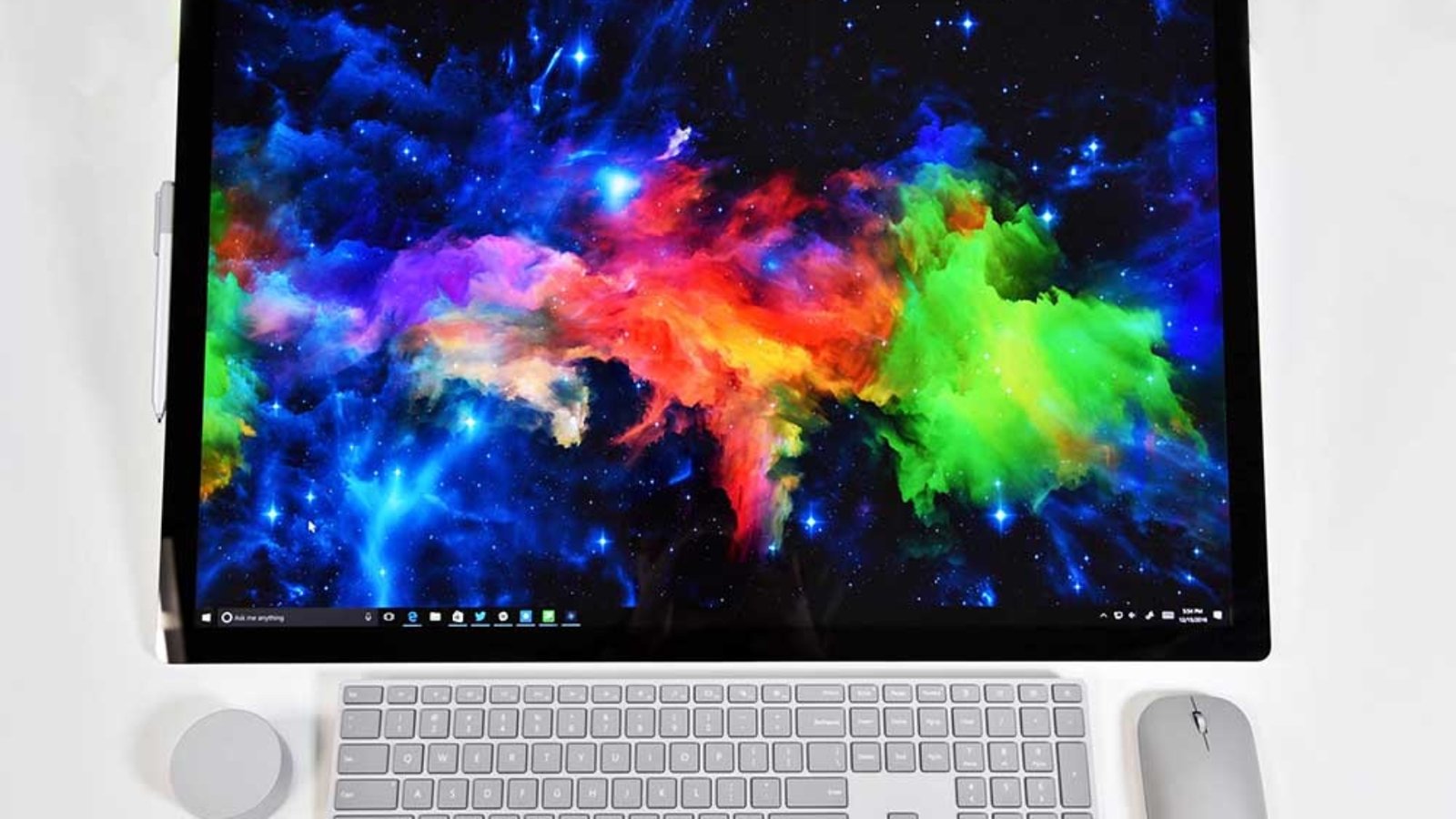
Now, contrast that with how you use a desktop. When you sit down at your computer, you’re in a different mindset. You’re researching a product, diving into a complex topic, or comparing options. You’re clicking through links, reading long-form articles, and engaging deeply with content. Desktop users aren’t just scrolling – they’re analyzing, learning, and converting.
This distinction is critical. AI search tools like ChatGPT and Perplexity cater to users who are seeking detailed, nuanced answers. These users aren’t swiping through a feed; they’re sitting at their desks, ready to dig in. And that’s why desktop referrals are dominating.
The Fall of Mobile-First and the Rise of Desktop-First
For years, mobile-first design was non-negotiable. Google’s algorithm prioritized mobile-friendly sites, and businesses scrambled to optimize for smaller screens. Responsive design, simplified navigation, and concise content became the gold standard. But AI search is rewriting the rules.
If 94% of ChatGPT’s referrals come from desktop, businesses that have poured all their resources into mobile optimization may be missing the mark. A site that’s sleek and fast on mobile but lacks depth or functionality on desktop could be invisible to AI-driven traffic. This is a wake-up call: the desktop experience matters again, and it matters more than ever.
What This Means for Your Digital Strategy
So, how should businesses adapt to this desktop-first resurgence? Here are the key implications:
1. Reevaluate Your UX Priorities
If you’ve been hyper-focused on mobile UX, it’s time to shift gears. Desktop users expect a robust, feature-rich experience. This means rethinking navigation, layout, and functionality to cater to users who are sitting down for a focused session. Ensure your desktop site is intuitive, visually appealing, and easy to navigate. Don’t sacrifice depth for simplicity; desktop users are here for the details.
2. Invest in Long-Form Content
AI search thrives on depth. Unlike mobile users who skim short posts, desktop users are more likely to engage with comprehensive, well-researched content. Long-form articles, detailed guides, and in-depth comparisons are your best bet for capturing AI-driven traffic. Don’t be afraid to go deep – desktop users are ready to read.
3. Optimize for Conversion
Desktop users aren’t just browsing – they’re converting. Whether it’s signing up for a newsletter, making a purchase, or filling out a form, desktop users are more likely to take action. Make sure your calls-to-action (CTAs) are prominent and your conversion funnels are seamless on desktop. A clunky desktop experience could cost you valuable leads.
4. Balance Mobile and Desktop
This isn’t to say mobile optimization is irrelevant. Mobile still accounts for a significant portion of overall web traffic, and Google’s algorithms haven’t gone away. The key is balance. Your site needs to perform well on both mobile and desktop, but the desktop experience should no longer take a backseat.
The Bigger Picture: AI is Redefining Search
The shift to desktop-first isn’t just about user behavior; it’s about how AI search engines function. Traditional search engines like Google rely on crawling websites and ranking them based on a variety of factors, including mobile-friendliness. AI search tools, on the other hand, prioritize delivering precise, contextually relevant answers. They don’t just point users to websites; they synthesize information and present it directly.
This means that businesses need to optimize not just for visibility but for relevance. AI tools are more likely to recommend content that is authoritative, detailed, and well-structured. A shallow, mobile-optimized page might rank well on Google, but it’s less likely to be surfaced by ChatGPT or Perplexity. Desktop-friendly, content-rich pages are better positioned to win in this new landscape.
How to Thrive in a Desktop-First World
To stay ahead, businesses need to adapt their strategies to align with the rise of AI-driven, desktop-first search. Here are actionable steps to get started:
Audit Your Desktop Experience: Test your site on multiple desktop browsers and screen sizes. Is it easy to navigate? Are key features accessible? Does it load quickly and display correctly?
Create In-Depth Content: Invest in long-form blog posts, whitepapers, and case studies that answer complex questions. Use clear headings, bullet points, and visuals to make content scannable yet detailed.
Leverage Analytics: Use tools like Google Analytics or BrightEdge to track where your traffic is coming from. If you’re seeing a spike in desktop referrals from AI tools, double down on optimizing for those users.
Test AI Search Queries: Experiment with how your content appears in AI search results. Ask questions on ChatGPT or Perplexity that relate to your industry and see which sites come up. Use this to inform your content strategy.
Prioritize User Intent: Understand what desktop users are looking for; depth, clarity, and actionable insights. Tailor your content to meet those needs.
The Future of Search is Here
The mobile-first era was driven by the rise of smartphones and Google’s dominance. But as AI search tools like ChatGPT, Perplexity, and Gemini gain traction, we’re entering a new phase: the desktop-first era. This shift doesn’t negate the importance of mobile but highlights the need for a balanced approach that prioritizes depth and engagement on desktop.
Businesses that adapt to this change will have a competitive edge. By focusing on robust desktop experiences, in-depth content, and conversion-optimized design, you can position your brand to thrive in the AI-driven search landscape. The data is clear: desktop is back, and it’s time to embrace it.
Ready to launch a sales page that sells while you’re off the clock?
Every day you wait is a day your site isn’t selling, your funnel isn’t converting, and your content isn’t reaching the right people.
If you’re stuck, delayed, or just not seeing the results you expected - let’s fix that now. We’ve helped over 150+ business owners move faster, launch smarter, and make Kajabi work like it should.
Book your free Zoom call now
We’ll review where you are, where you want to go, and how to get there - super fast.
Your sales page should be your best salesperson. But Is it?
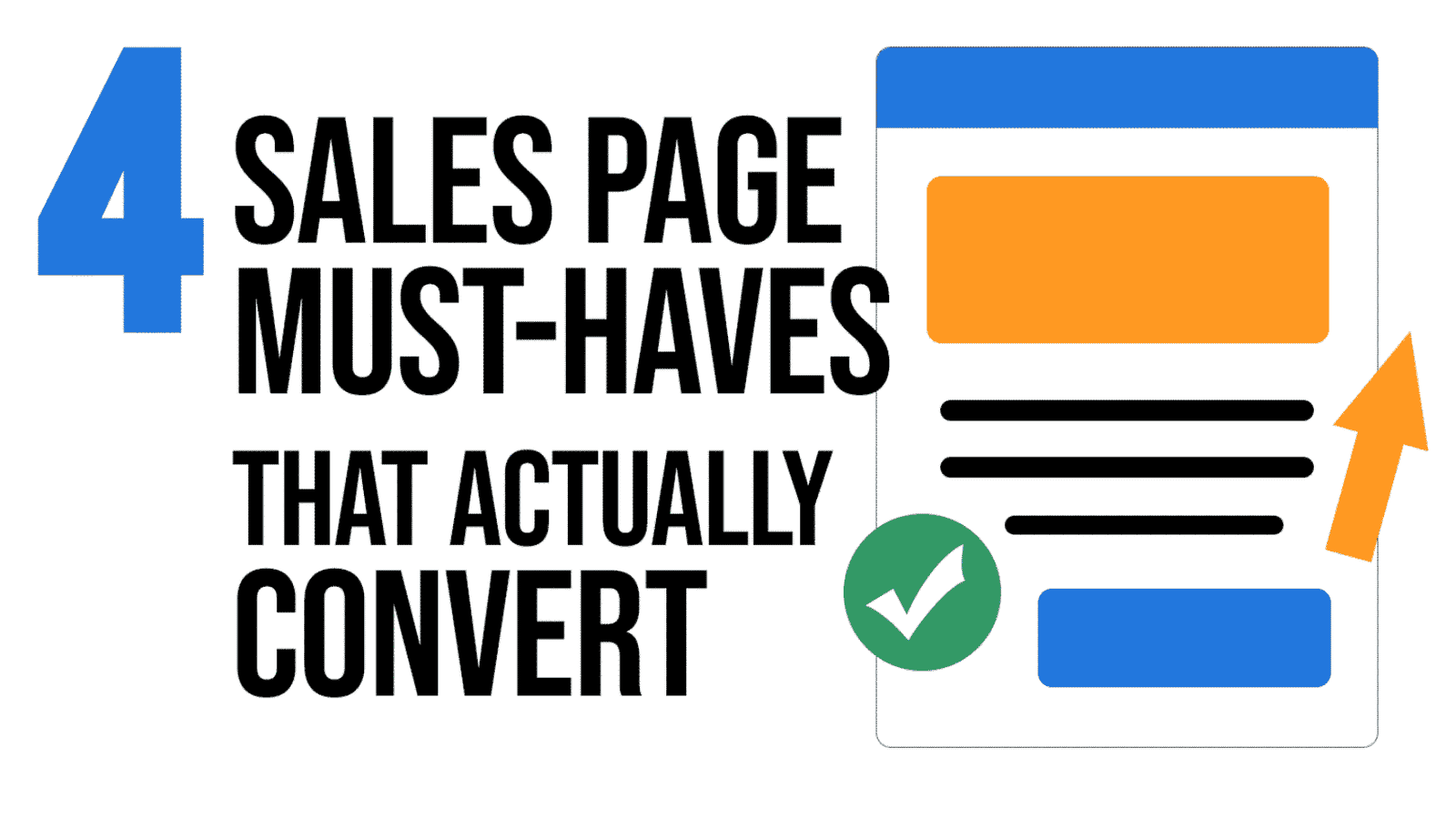
Your sales page isn’t a brochure – it’s your hardest-working salesperson. Use these four non-negotiables to connect with your ideal client, crush hesitation, and drive more “Buy Now” clicks.
1) Copy that speaks to pain and desire
Hook readers fast with language they already use to describe their problem and their dream outcome. Then shift from features to tangible results: show how life looks after they say “yes.”
2) Visuals that make digital offers feel real
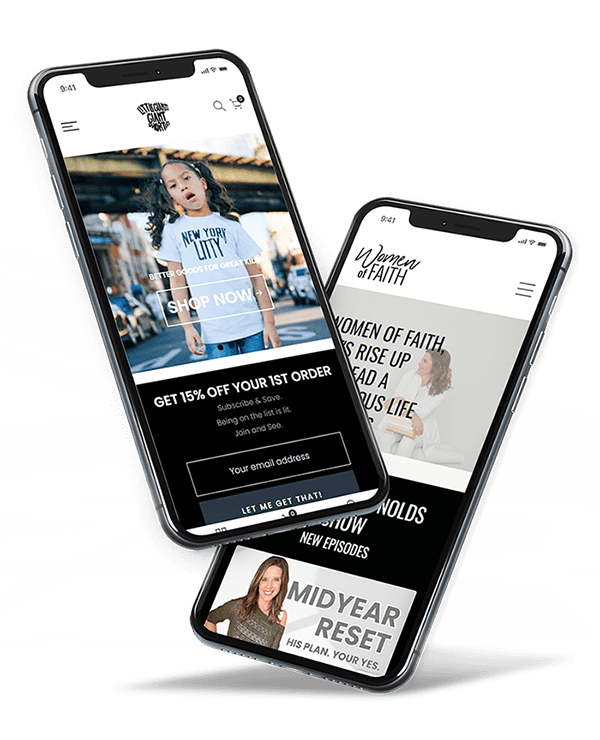
You can’t photograph an online course on a shelf—but you can make it tangible. Use mockups: your eBook on a tablet, templates on a laptop, videos on a phone. Visibility = perceived value.
3) Social proof that builds instant trust
Back up your claims with validation from others. Mix formats to increase credibility:
Ready to launch a sales page that sells while you’re off the clock?
Every day you wait is a day your site isn’t selling, your funnel isn’t converting, and your content isn’t reaching the right people.
If you’re stuck, delayed, or just not seeing the results you expected - let’s fix that now. We’ve helped over 150+ business owners move faster, launch smarter, and make Kajabi work like it should.
Book your free Zoom call now
We’ll review where you are, where you want to go, and how to get there - super fast.
Use this fill‑in‑the‑blanks framework to validate demand, shape your go‑to‑market, and plan year‑one growth—before you commit serious time and budget.
Before you build, validate. Many great ideas stumble because they’re launched on assumptions. The antidote is a short list of rigorous questions that pressure‑test your product or service—from market fit to messaging to growth—so your time and money are invested where they’ll actually pay off.
Below is a practical, industry‑agnostic checklist you can run for any (fill in your business/product/service). It’s written to be dropped into your planning doc or shared with a team. Replace the placeholders with your specifics and you’ll have a clear, defensible launch plan.
1) Market Research & Problem Validation
Q1. What hard evidence proves demand for (your business/product/service) and the pain points buyers face?
Examples: survey results, interviews, inbound inquiries, review mining, search trend data, competitor analysis. Summarize your proof in 3–5 bullets and quantify where possible.
Fill‑in prompt:
We surveyed/interviewed (N = ___) people; ___% indicated they experience problem “X.”
Search volume for “(problem/solution keyword)” averages ___/mo; trend is ↑/↓ over ___ months.
Top 3 competitor gaps that users complain about: (1) ___ (2) ___ (3) ___
Q2. Have you confirmed your audience’s willingness to do the work required to get the outcome you promise?
Desire is not the same as willingness. If your solution requires time, learning, or behavior change, validate that users will actually do it—even with savings or benefits. Use smoke tests, waitlists, preorders, or a concierge MVP to observe real behavior.
Q3. How does your offer account for industry complexity (e.g., regional variations, compliance, technical nuances)?
Buyers trust products that acknowledge reality. Identify (your industry‑specific regulations, standards, or regional differences) and explain how your offer handles them. This belongs in your product content and your marketing narrative.
2) Demographics & Psychographics of the Ideal Customer
Q4. Who exactly is your ideal customer—beyond “people who want to save money/time”?
Document both demographics (age, income, role, education, family status) and psychographics (values, risk tolerance, DIY comfort, domain literacy, preferred learning style). Give this persona a name and a one‑paragraph backstory so your team writes to a real human.
Q5. Where does this person spend time online, and how will you tailor your message for each channel?
List the top communities, forums, social platforms, newsletters, podcasts, or offline venues where your audience already gathers. Specify how your hook and CTA change to fit local norms. What wins on LinkedIn will differ from a niche Slack or subreddit.
Q6. What’s their current level of understanding—and how will you bridge the gap without overwhelm?
Map the knowledge gap from “where they are now” to “ready to buy.” Decide what belongs in public education (content, lead magnets) vs. what belongs inside your product (checklists, templates, onboarding). Reduce cognitive load; increase clarity.
3) Marketing Channels to Promote the Launch
Q7. Which 2–3 channels will you prioritize first, and why?
Concentration beats dilution. Choose the channels that intersect audience attention + your strengths + measurable intent. For each chosen channel, define a weekly publishing cadence, core message pillars, and primary CTA.
Q8. What’s your plan for early buzz and social proof before launch day?
Line up beta users, reviewer copies, testimonial swaps, and founder‑led demos. Capture quotes, screenshots, and short case notes. Stage them across your sales page, emails, and top‑of‑funnel content.
Q9. What budget (if any) will you put into paid, and how will you measure ROI?
Set a test budget with guardrails. Track impressions → clicks → leads → sales. Know your CAC threshold and your breakeven target. Pause what underperforms; double down on proven ad–creative–audience pairs.
4) Year‑One Growth While Staying Focused on One Core Offer
Q10. After 3 Months (Initial Traction): What outcomes define success and what will you do weekly to get there?
Targets: ___ units sold, ___ email subscribers, ___ qualified demos, ___ public testimonials.
Weekly actions: Publish ___ pieces, run ___ outreach messages, host ___ live demos, iterate on ___ landing pages.
Q11. After 6 Months (Sustaining Momentum): How will you keep selling the same offer to new audiences?
Design an evergreen engine: SEO content clusters, partner webinars, referral incentives, community education, or platform‑native series. Repurpose top assets into new formats to reach adjacent segments—without inventing a brand‑new product.
Q12. After 1 Year (Long‑Term Value): How will you keep one product relevant for 12+ months?
Maintenance: release a v1.1 update; refresh templates; add a quick‑start mini‑course or onboarding checklist.
Customer success: office hours, private community, or quarterly clinics.
Monetization add‑ons: premium support, done‑with‑you sessions, or implementation kits—without changing the core SKU.
Operational KPIs to Monitor Regularly
Key performance indicators to track in analytics
KPI
Definition
Decision Trigger
Sales Conversion Rate
Percent of visitors who purchase or book.
If < ___%, revisit offer/landing page, proof, and CTAs.
Lead-to-Customer Rate
Percent of leads who become paying customers.
If < ___%, tighten nurture sequence and objection handling.
Email Open / Click Rates
Engagement with your core messages.
If trend ↓ for 3 sends, test new subjects, hooks, and offers.
Top Traffic Sources
Channels driving qualified visitors.
Reduce time in low‑intent channels; invest in top 2 sources.
Customer Feedback
Testimonials, NPS, and review themes.
Turn praise into proof; turn friction into roadmap items.
Bringing It All Together
These 12 questions are your pre‑launch truth serum. They don’t eliminate risk, but they make your bets smarter. Replace the placeholders with your specifics for (your business/product/service), and you’ll have a concrete plan for validation, distribution, and year‑one growth—without bloating your roadmap.
Quick checklist:
Evidence of demand is quantified and documented.
Ideal customer is vivid and channel‑specific messaging is drafted.
2–3 launch channels chosen with cadence, assets, and CTAs.
3‑, 6‑, and 12‑month plans defined with weekly actions.
KPIs and decision thresholds agreed and visible to the team.
If you want a copy‑and‑paste planning template of these questions in a doc format, reach out and I’ll share a version you can customize.
Ready to Launch Smarter with Kajabi?
Every day you wait is a day your site isn’t selling, your funnel isn’t converting, and your content isn’t reaching the right people.
If you’re stuck, delayed, or just not seeing the results you expected - let’s fix that now. We’ve helped over 150+ business owners move faster, launch smarter, and make Kajabi work like it should.
Book your free Zoom call now
We’ll review where you are, where you want to go, and how to get there - super fast.